Period
A compensation period determines how often the plan rule will be triggered in sales compensation calculations.
What is Compensation Period?
Section titled “What is Compensation Period?”Compensation Period is a periodic schedule you can set for commission calculation. For example, if you set the period as Monthly recurring on a specific date, you can create a formula, measurement and plan according to the monthly schedule you set. In order to create a new Compensation Period:
- Click Compensation Period ribbon

- Click New Period button
Set the Compensation Period according to your business requirement by providing information required.
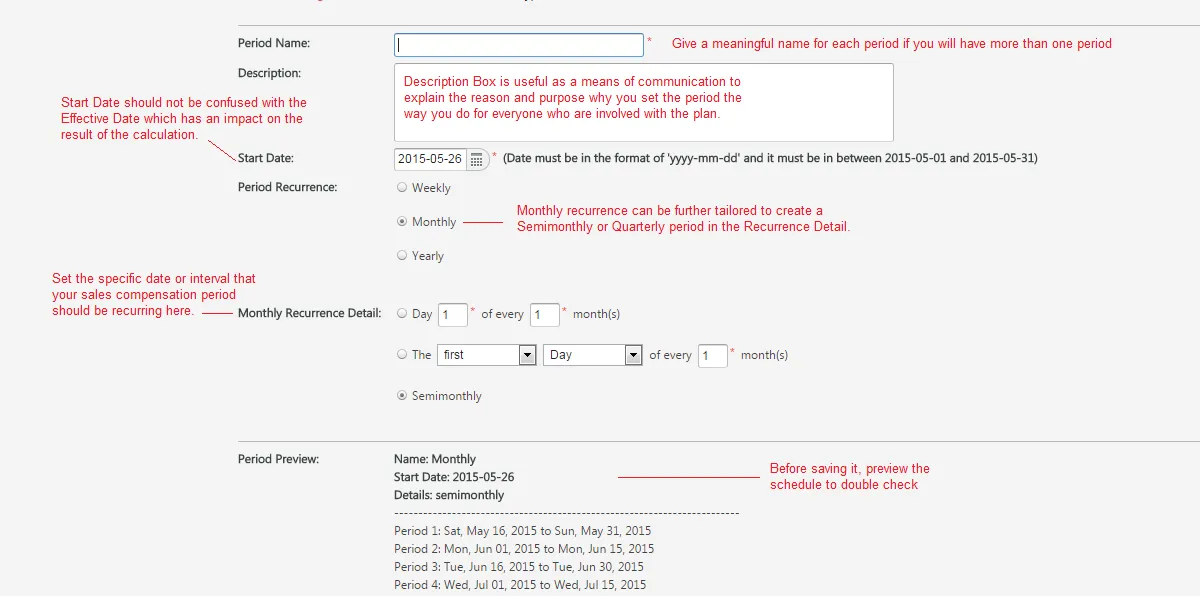
- When you are finished, click Save
When to Use a Compensation Period?
Section titled “When to Use a Compensation Period?”As mentioned earlier, the compensation period is one of the critical elements that determines the periodic schedule how often you would calculate the sales commission earned by the sales force. A calculation period does not necessarily have to be the same as the pay period in your organization. For example, you may want to calculate the commission earnings ever other week for the financial reporting purposes, employees would still get paid only once a month.
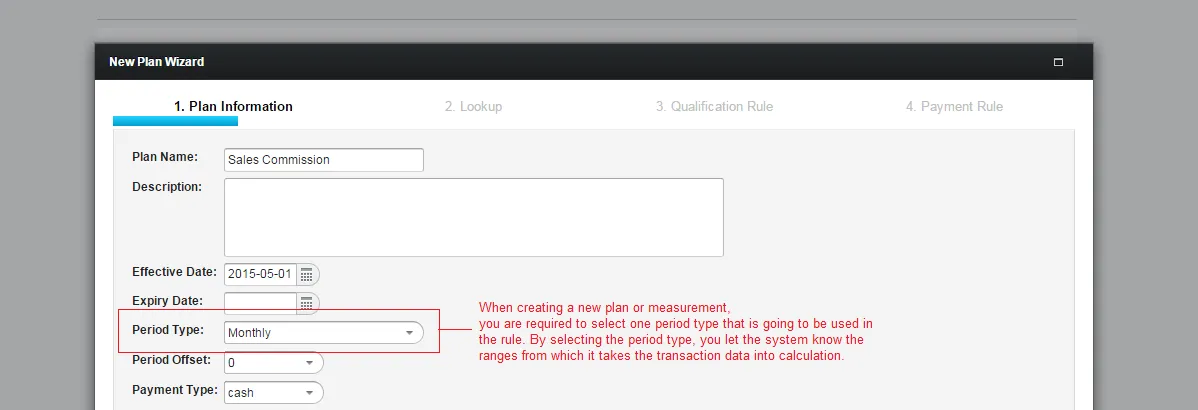
For example, if you want to calculate commission earned by sales activities each month, you should select the Monthly Period when creating a new plan or a measurement.